Pikachu Perler Beads
Choose from six Pikachu Perler beads patterns, check the beads you need, and open your chosen design to make changes or download it. The collection includes three patterns on 29×29 spaces and three on 58×58 spaces. Compare the actual bead totals rather than choosing by the pattern name alone. Each design uses 5 mm Perler beads, and you can review its colors before setting out your boards and starting to place beads.
Open Designer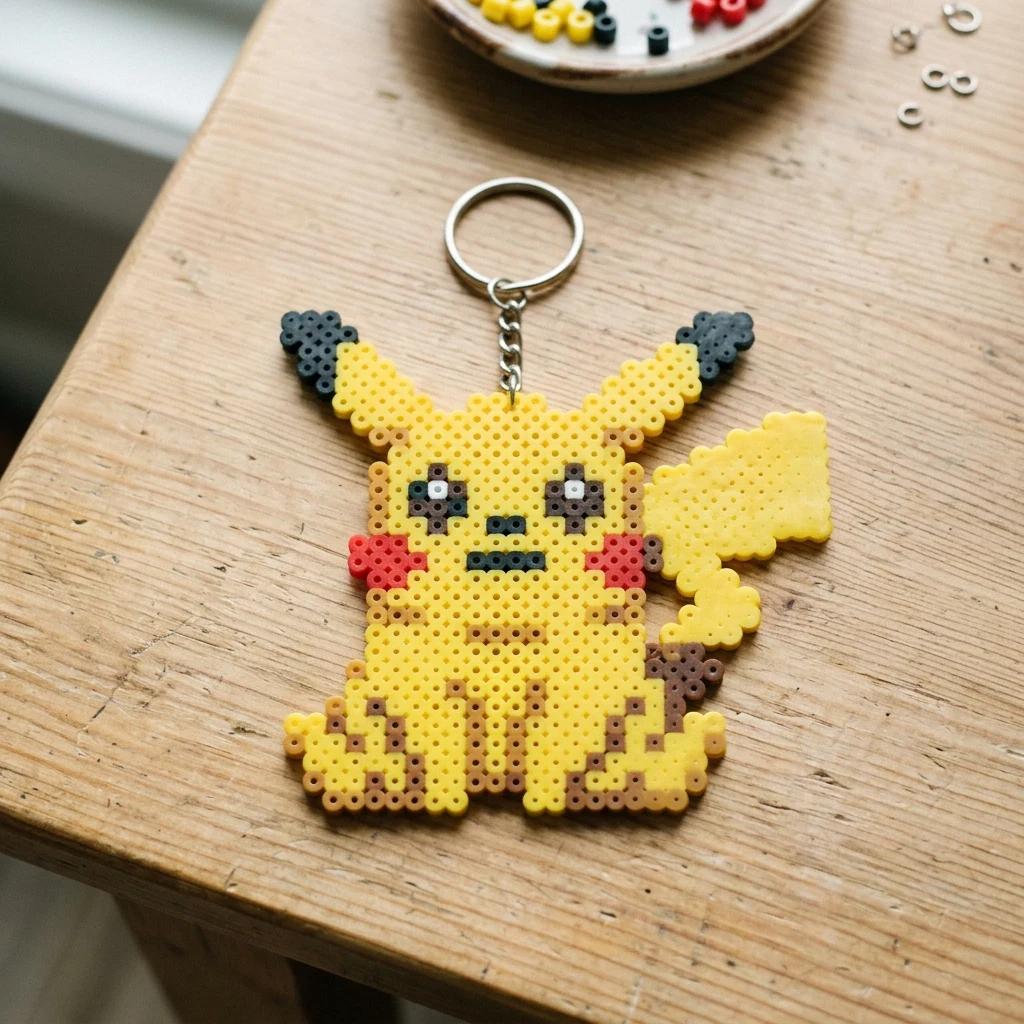
Compare before you choose
6
Patterns to choose from
322–1574
Beads per pattern
1–4
Boards per pattern
See the Pikachu pattern
100%
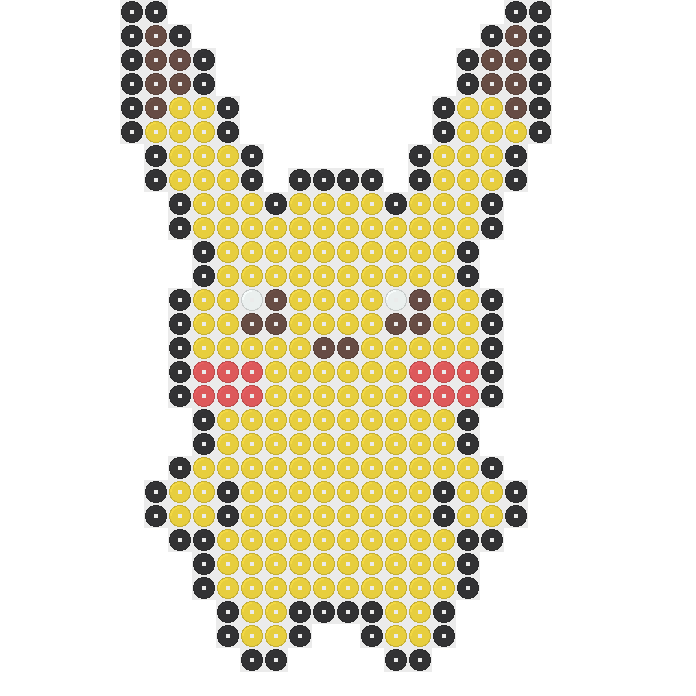
29 × 29 spaces. Switch to color codes to check each bead. Use the color list below to check how many beads you need.
Open or download Pikachu
Size and bead colors
- Size
- 29 × 29
- Beads
- 322
- Bead colors
- 5
- Boards
- 1
- Difficulty
- easy (estimated)
- Time
- 32–48 minutes (estimated)
- Before ironing
- 14.5 × 14.5 cm
- P18 Black: 92 beads
- P12 Brown: 20 beads
- P03 Yellow: 196 beads
- P01 White: 2 beads
- P59 Hot Coral: 12 beads
- Board 1: 322 beads
Compare Pikachu versions
6 patterns
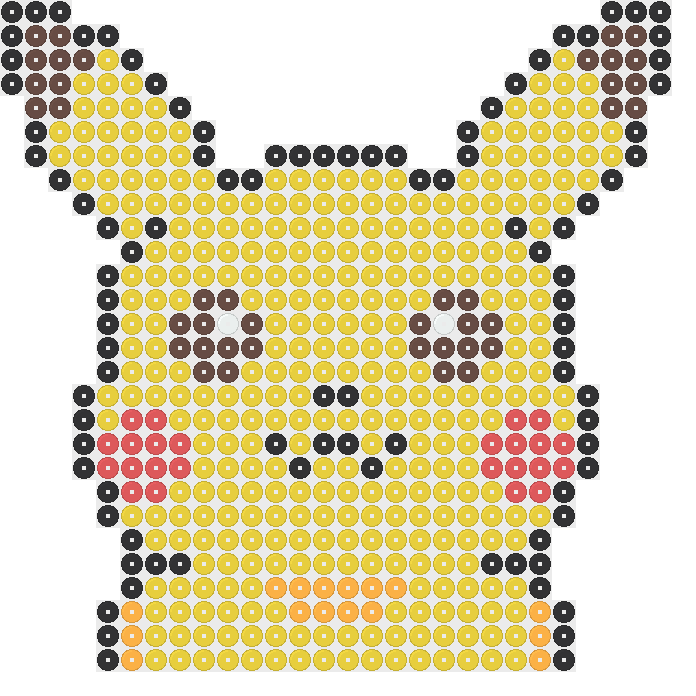
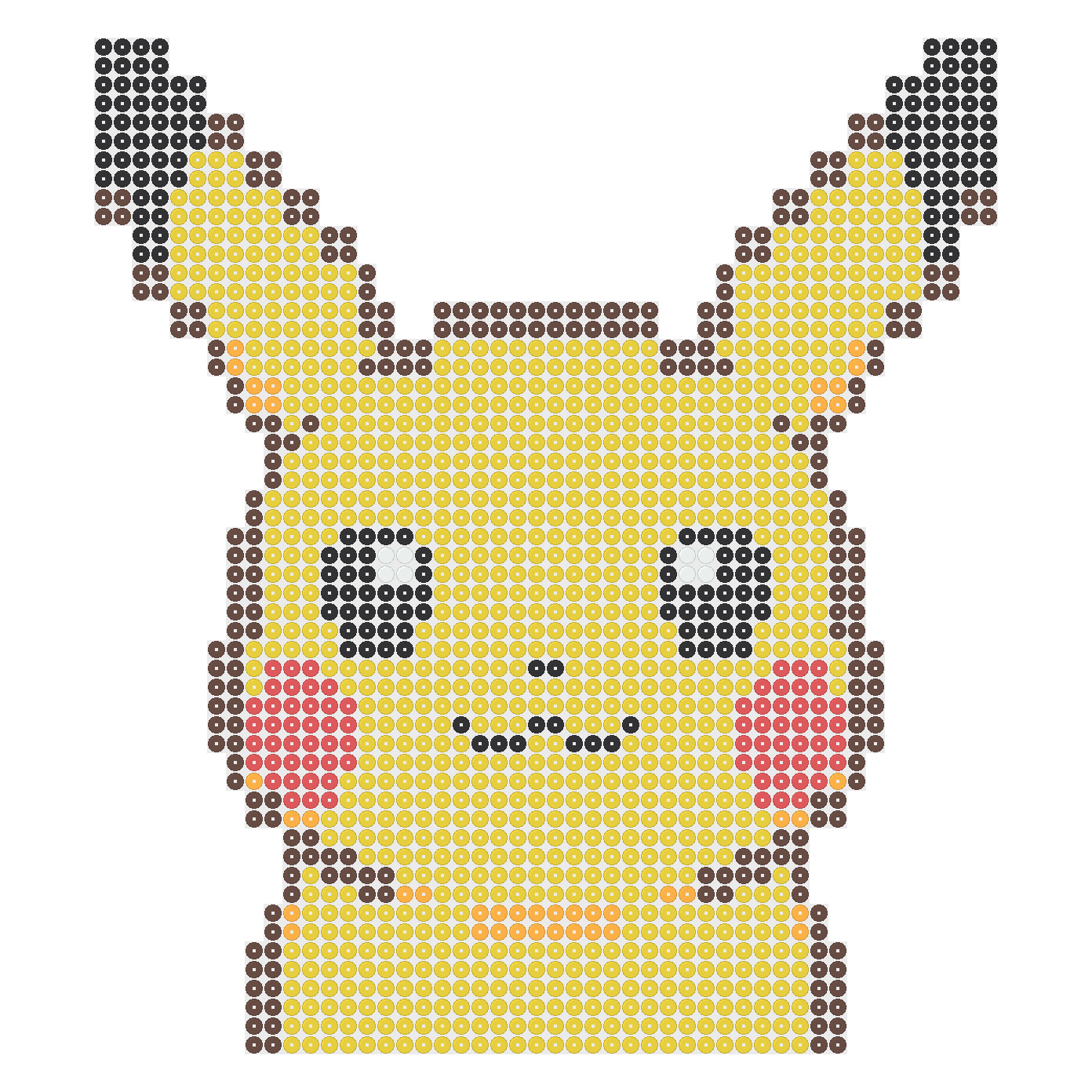
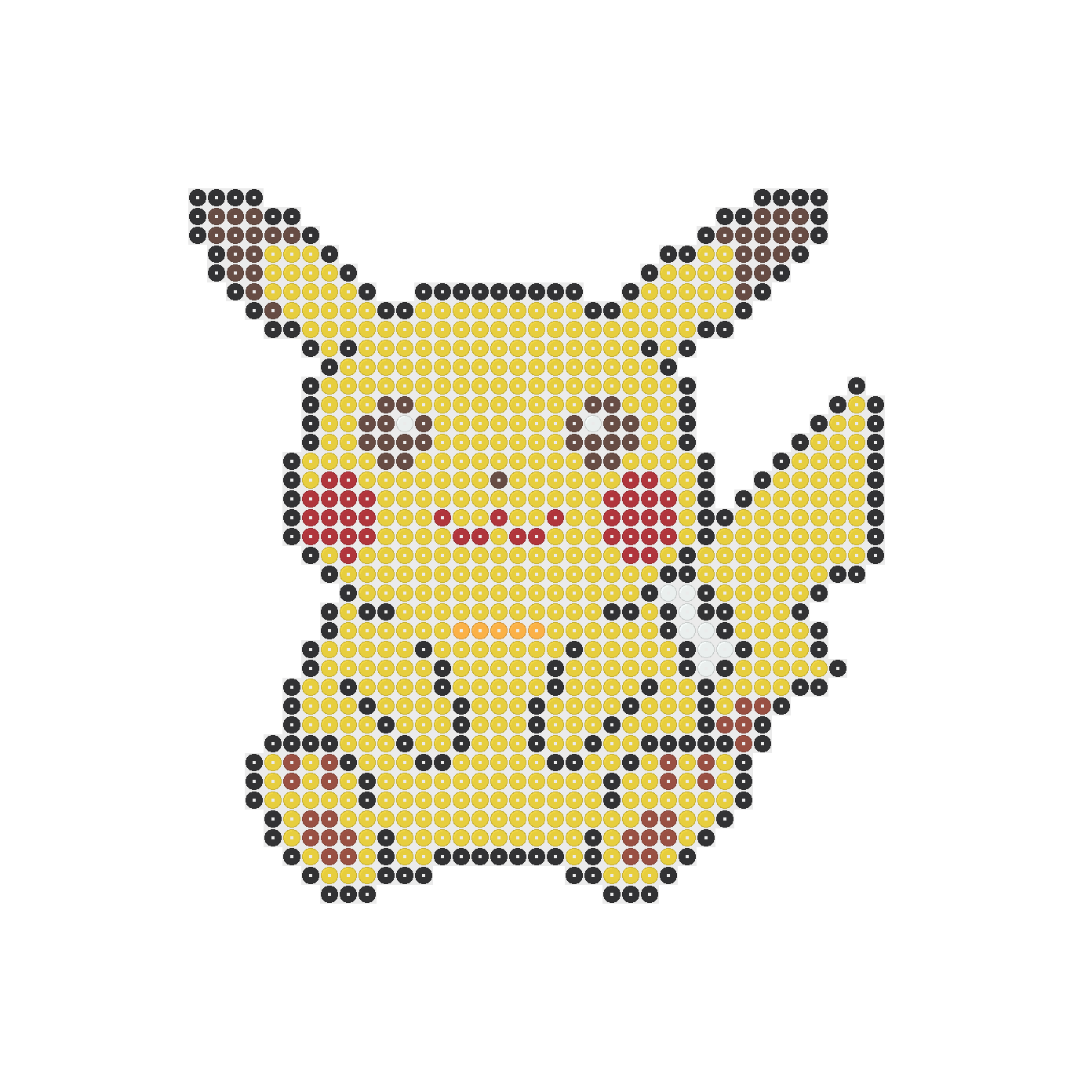
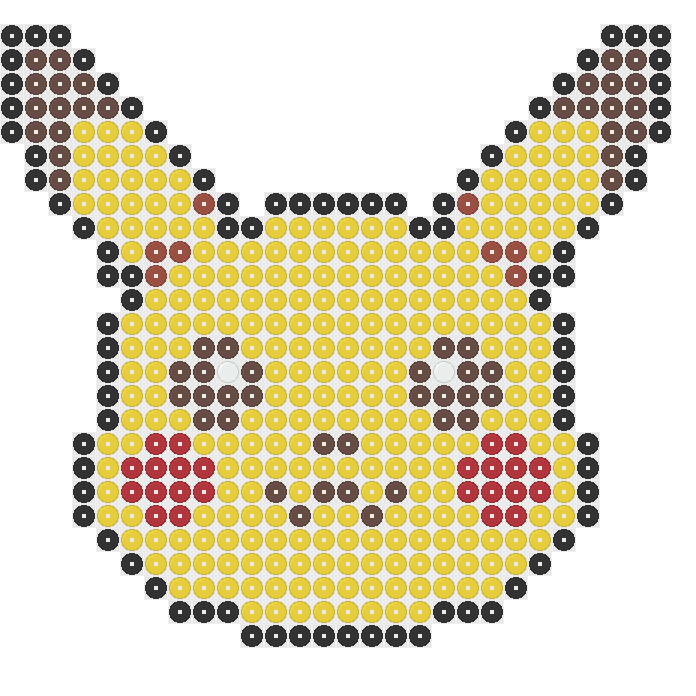
Compare the Six Pikachu Patterns
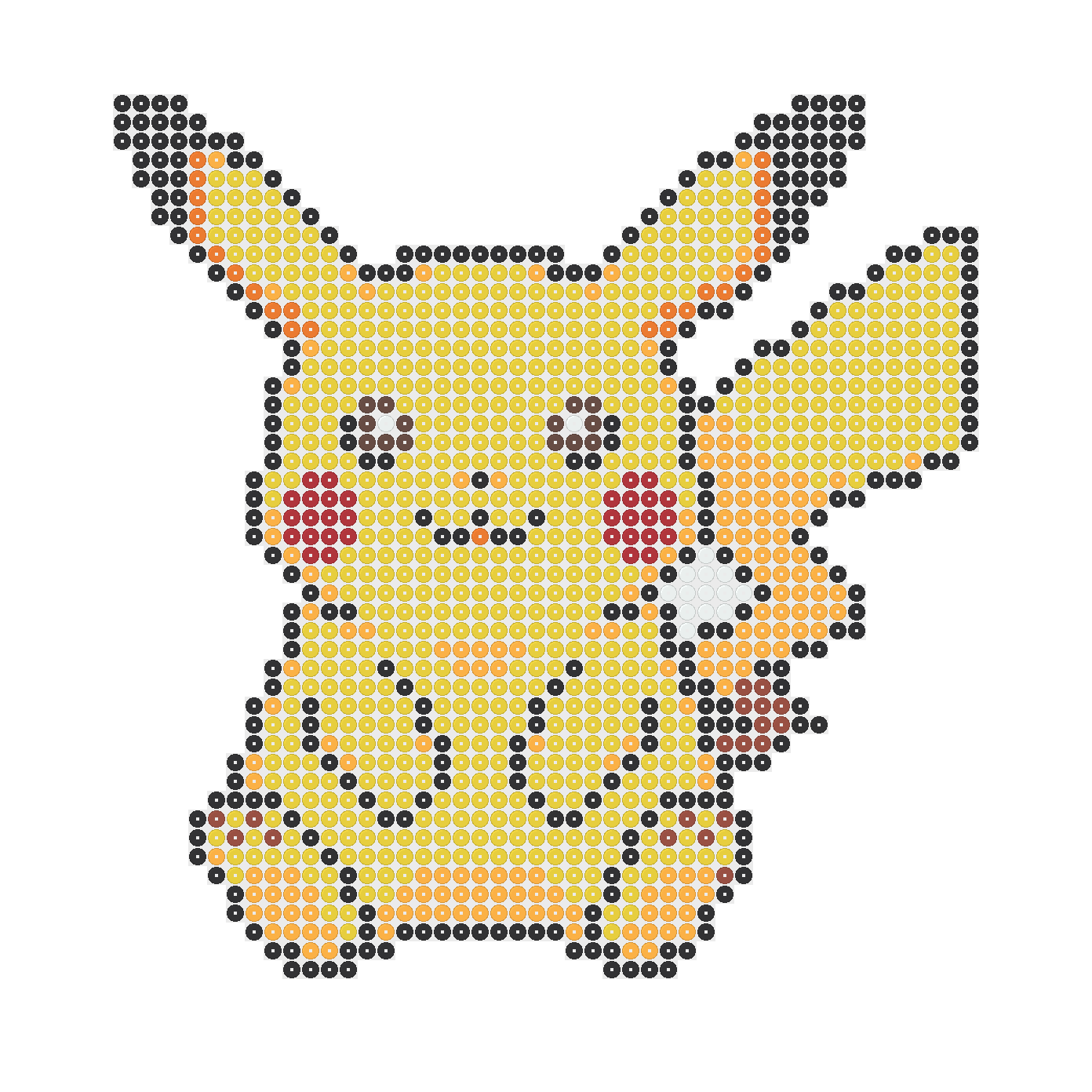
Start comparing Pikachu Perler beads patterns with the standard versions. The 29×29 design uses 322 beads in five colors, while the 58×58 design uses 1,310 beads in eight colors. These totals give you a concrete way to compare the supplies each project needs before choosing.
The two patterns named Easy have different supply needs. Easy 29×29 uses 520 beads in six colors, and Easy 58×58 uses 1,574 beads in six colors. Treat Easy as the design name, not a promise about how much work either version will take to complete.
The remaining Pikachu Perler beads choices are Mini 29×29, with 446 beads in six colors, and Small 58×58, with 909 beads in seven colors. Look at each preview alongside these numbers. Mini and Small identify particular versions; their names do not replace checking the dimensions.
Count the Bead Colors Before You Start
For the standard 29×29 Pikachu Perler beads pattern, gather 196 Yellow, 92 Black, 20 Brown, 12 Hot Coral, and two White beads. Keeping these five groups separate makes the small quantities easier to find when you reach their positions in the pattern during bead placement.
The standard 58×58 Pikachu Perler beads design needs 699 Yellow, 325 Black, 180 Cheddar, 32 Red, 26 Orange, 19 Rust, 15 White, and 14 Brown beads. Yellow is the largest group, but check the smaller groups too. A nearly empty color bag can still leave part of your pattern unfinished.
Do not carry one shopping list across all six Pikachu Perler beads designs. Mini 29×29 needs 264 Yellow beads and 24 Red beads, while Easy 29×29 needs 342 Yellow and 24 Hot Coral. Match both the color name and quantity to the specific version you choose.
Choose One Board or Four Boards
The three 29×29 Pikachu Perler beads patterns each use one 29×29 board. That makes them useful choices when you have only one board available. Standard, Easy, and Mini share the same pattern space, but they do not fill the same number of positions within it.
Each 58×58 version uses four 29×29 boards arranged in a square, with two boards across and two down. Set out the full arrangement before placing beads. Follow the pattern across board boundaries rather than treating each board as a separate picture with its own starting point.
Board capacity is not your shopping total for Pikachu Perler beads. One 29×29 board has 841 positions, and four have 3,364 positions altogether. Empty positions remain empty unless you deliberately change the design. Use the chosen pattern's bead total, not the size of its surrounding space.
Follow the Preview One Row at a Time
Before placing Pikachu Perler beads, find the first occupied row in your chosen preview and note the empty space around it. Start at the matching position on your board. Counting from the pattern's edge helps you avoid shifting the whole design sideways as you begin placing beads.
Work along a row in short groups, checking where each color starts and stops. Empty positions matter just as much as filled ones. After finishing a row, compare it with the picture before moving onward, so a missed space does not affect the rows that follow.
Use the preview for your exact Pikachu Perler beads version rather than borrowing details from another design or a scene photo. A photo can suggest how a craft might look, but the pattern tells you where beads belong. Check uncertain positions against that pattern before heating anything.
Change Colors and Download Your Pattern
Open your chosen Pikachu Perler beads pattern by selecting its preview image or the Open in Designer button. This opens that exact design in the homepage Designer. You do not need an account, and you can review the pattern there before deciding whether to change anything.
Use draw and erase to adjust bead positions, or change bead colors to suit the supplies you have. Undo and redo let you step backward or forward through changes. Watch the updated totals after editing, since adding or removing beads changes what you need to gather.
When your Pikachu Perler beads pattern looks right, download it as PNG or PDF. Check the downloaded picture before using it beside your board. If you changed colors or positions, follow this updated copy rather than the original preview, and use the updated totals for your supplies.
Pick a Version That Fits Your Supplies
Choose Pikachu Perler beads by considering board space and bead quantity separately. Small 58×58 uses 909 beads, fewer than the standard 58×58 design's 1,310 and Easy 58×58's 1,574. All three still need four boards, so fewer beads do not necessarily mean a smaller board arrangement.
If you have one board, compare the three 29×29 choices against your available colors. The standard version needs five colors, while Mini and Easy each need six. A lower total may suit your bead supply, but a missing color can matter more than the overall number.
After making Pikachu Perler beads, you can compare the wider Pokemon collection, which has 11 patterns including these six. For a different theme, look at the five Flower patterns or six Heart patterns. Check each new pattern's own supplies instead of assuming it matches your previous project.
Frequently asked questions
You need between 322 and 1,574 beads, depending on the version. Standard 29×29 uses 322, Mini 29×29 uses 446, and Easy 29×29 uses 520. The three 58×58 versions use 909, 1,310, or 1,574. Check your selected design's color quantities too, rather than buying only enough beads overall.
No, only the three 29×29 patterns use one 29×29 board. Each 58×58 pattern needs four 29×29 boards arranged two across and two down. The name Small does not mean its design fits one board. Check the dimensions before choosing, especially if you have a limited number of boards available.
Yes, open the exact pattern in Designer and change its bead colors. You can also draw, erase, undo, and redo while the totals update. Review your changes before downloading a PNG or PDF. Follow the edited pattern and updated totals when gathering supplies, rather than relying on the original color list.
An actual bead size print is not guaranteed. You can download a pattern PDF or PNG and print it as a reference, but check the printer settings and make sure nothing is cropped. Count positions from the pattern onto your board rather than assuming the printed spaces line up with its pegs.
All six designs use 5 mm Perler beads. This applies to both the 29×29 and 58×58 versions, so choosing a larger pattern does not change the specified bead size.
Perler says an adult should do the fusing. Begin on a flat, heat-safe surface with ironing paper over the pegboard. Use medium heat without steam, moving the iron in circles without pressing down.
Besides the six Pikachu designs, the 11-pattern Pokemon collection includes Eevee 58×58, Poke Ball 29×29, Squirtle 58×58, and Gengar in both 29×29 and 58×58 versions. Check each design's own bead totals and colors.
More patterns and help
Perler Bead Patterns
Find a different theme if none of the six Pikachu designs matches your boards or remaining beads.
Perler Bead Guides
Check how to cover, fuse, cool, and turn your finished Pikachu safely before applying any heat.
Perler Bead Printables
Use a 29×29 or 58×58 paper grid to sketch changes to Pikachu's outline before placing beads.
Check your Pikachu changes before placing beads.
Load a Pikachu design, draw or erase beads, and use undo while checking how each change affects how many beads you need.