Minecraft Perler Beads
Make Minecraft Perler beads projects with three patterns: a sword, a pickaxe and a pig. Compare how many beads each design needs, check the colors, and choose a pattern that fits one 29×29 board. Open the exact pattern in Designer to change colors or correct a bead before downloading a PNG or PDF. The sections below help you gather supplies, follow the chart, and decide which project to make first.
Open Designer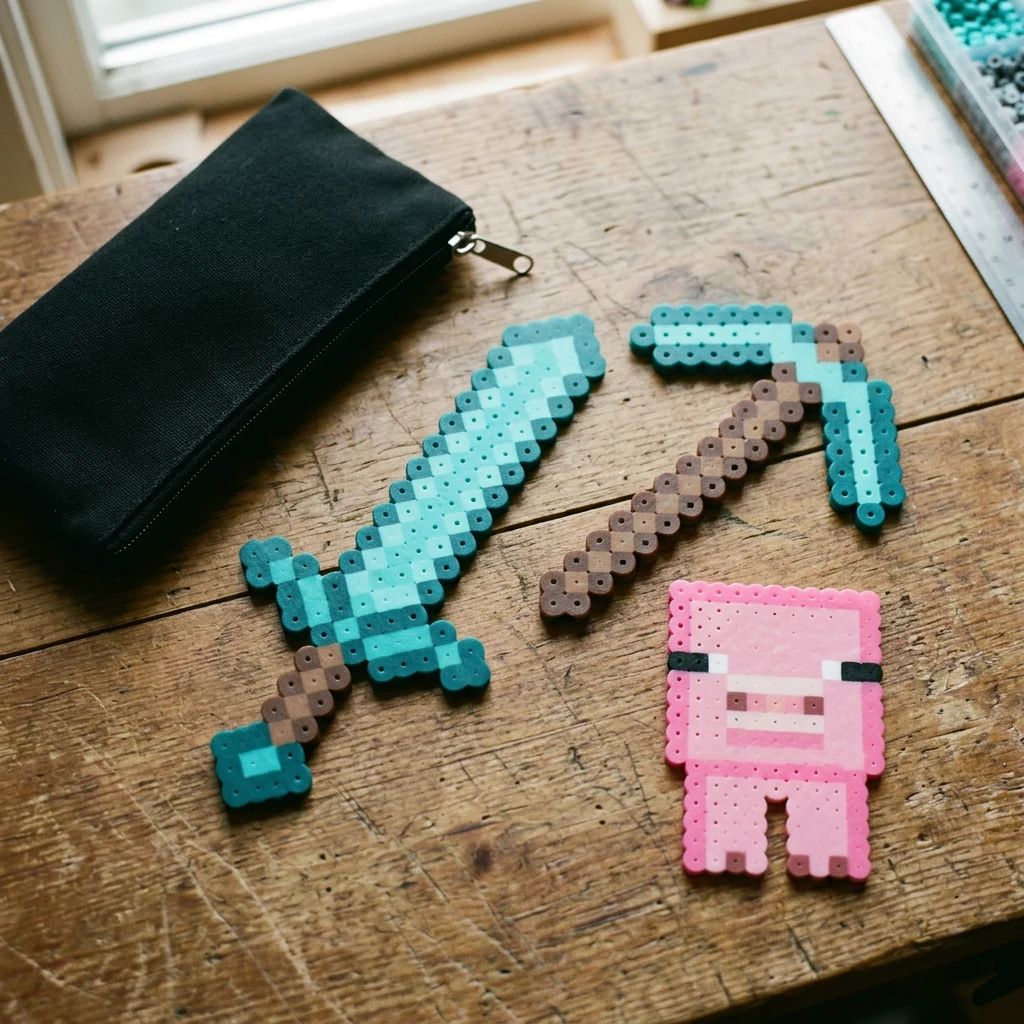
Compare before you choose
3
Patterns to choose from
77–454
Beads per pattern
1
Boards per pattern
Choose a bead pattern
3 patterns
Which Minecraft Perler Beads Pattern Should You Choose?
Compare designs
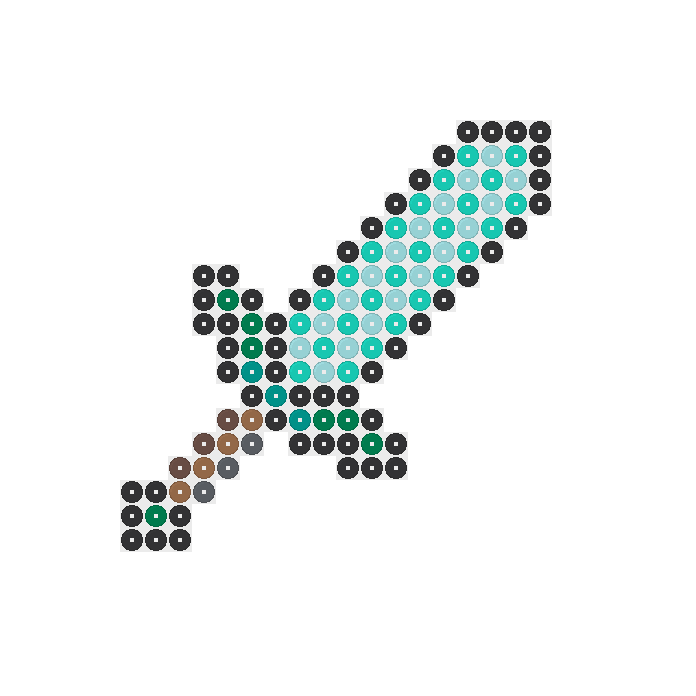
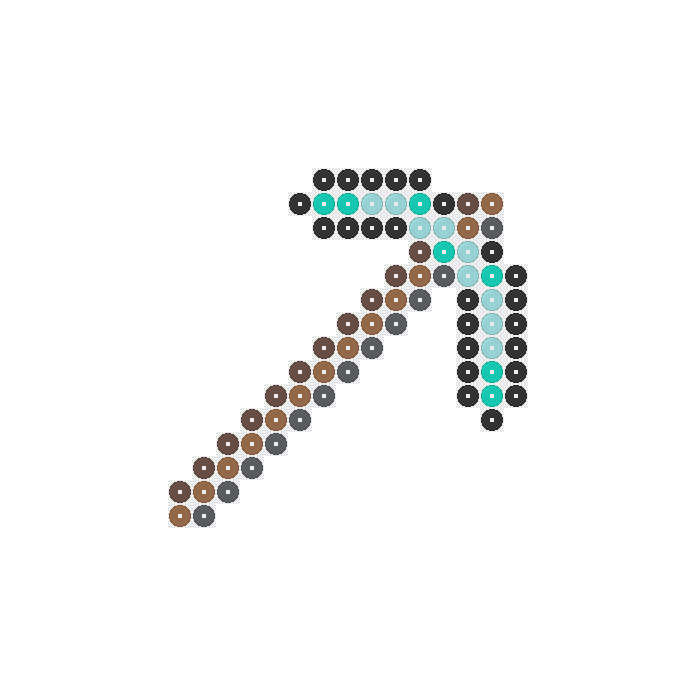
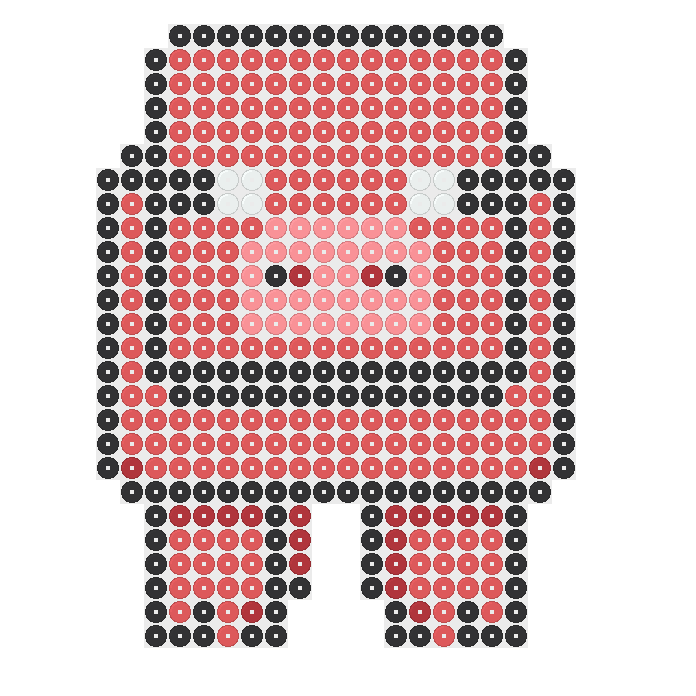
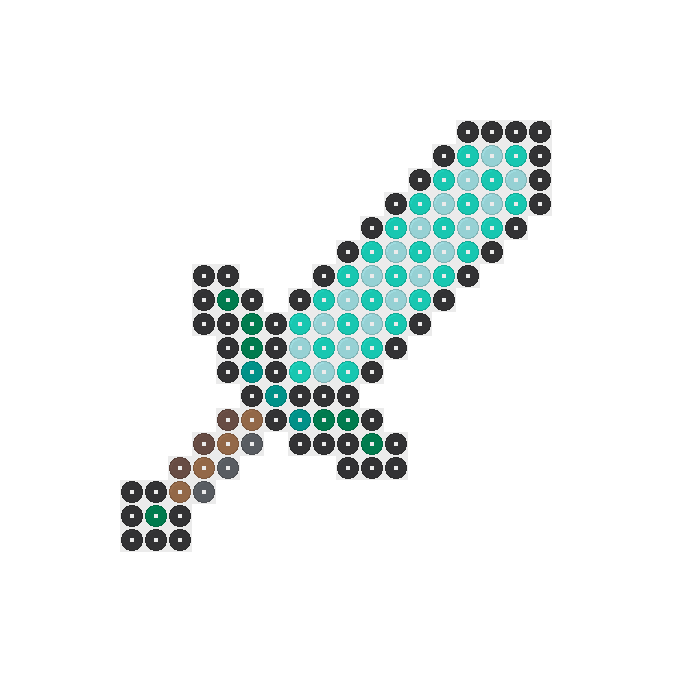
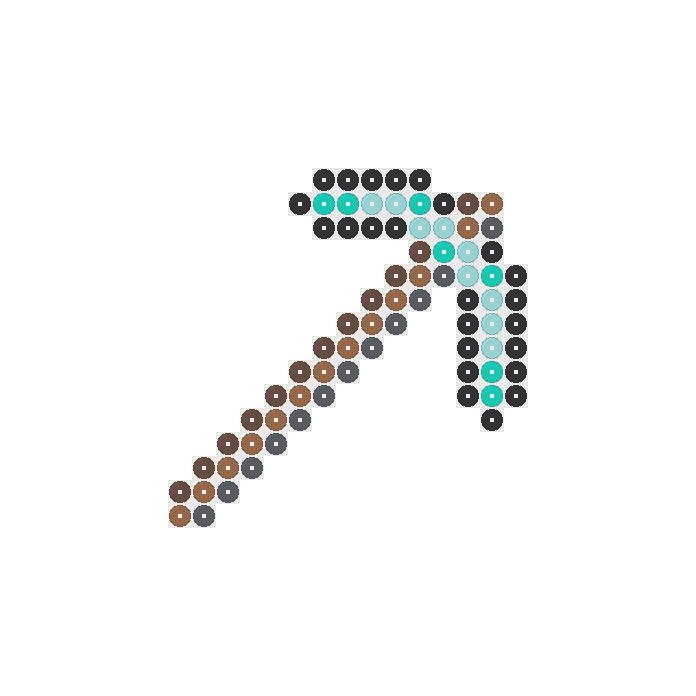
The collection of Minecraft Perler beads has three designs: a sword, a pickaxe and a pig. Choose the subject you want to make, then compare its bead total. The pickaxe needs 77 beads, the sword needs 116, and the pig needs 454, so their supply needs differ.
Check requirements
For Minecraft Perler beads, the smallest bead total does not also mean the fewest colors. The pickaxe uses six colors, the sword uses eight, and the pig uses five. Compare both numbers when deciding whether you want fewer placements or fewer colors to sort.
Choose your pattern
You can also choose by the supplies already in your bead box. The sword and pickaxe share several colors, while the pig needs a different mix. Check the exact preview before committing to a design, rather than choosing from a scene photo alone.
How Many Minecraft Perler Beads Do You Need?
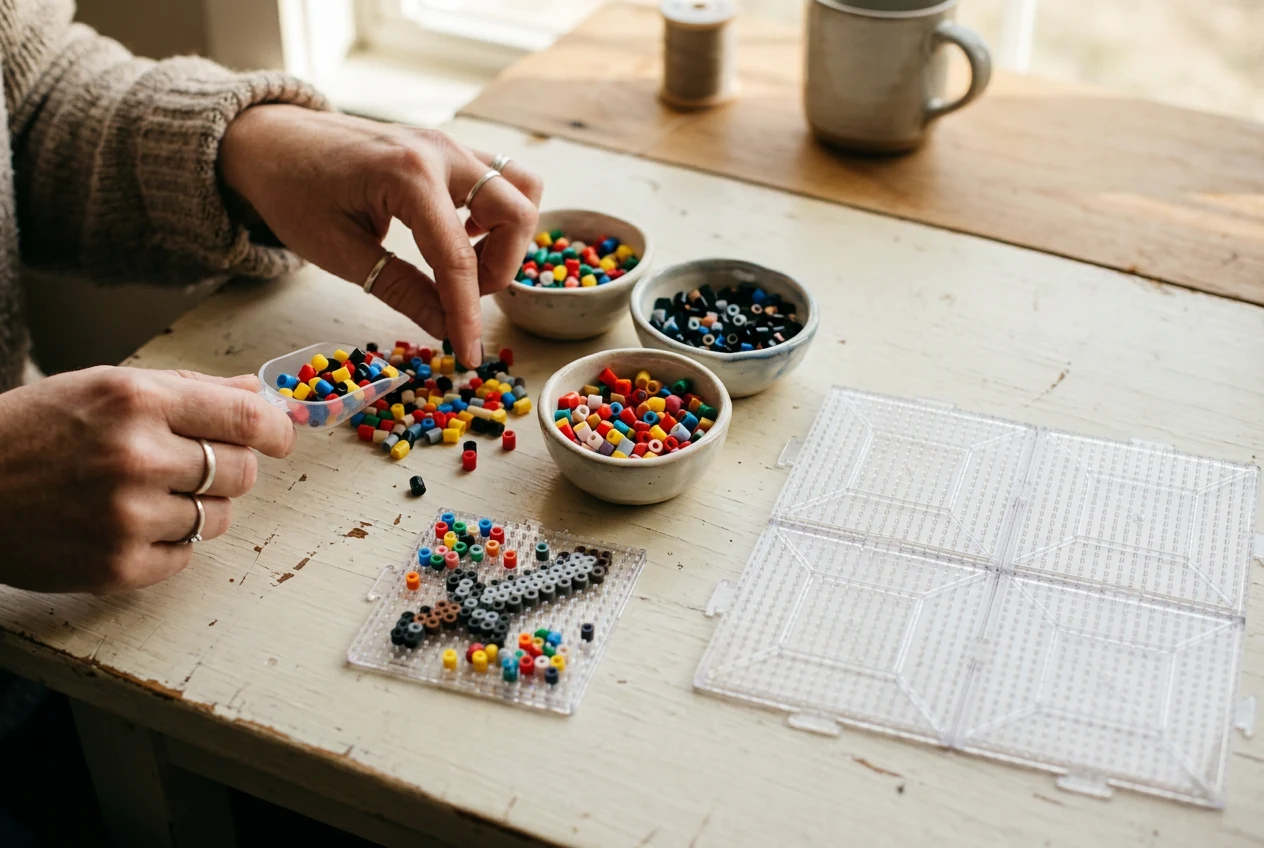
Sort your colors
Set out separate containers for the colors in your chosen pattern. The sword needs 52 Black, 26 Light Green and 18 Toothpaste beads. Its remaining colors are seven Dark Green, three Parrot Green, three Brown, four Light Brown and three Dark Grey beads.
Check quantities
The pickaxe needs 24 Black, seven Light Green, nine Toothpaste, 12 Brown, 13 Light Brown and 12 Dark Grey beads. When gathering Minecraft Perler beads, compare these amounts with the sword list. Shared color names do not mean both projects need the same quantities.
Gather supplies
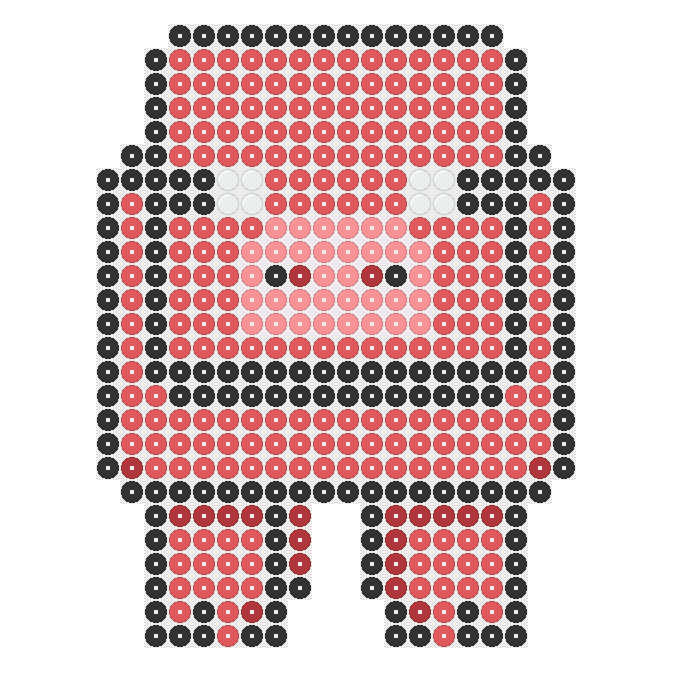
For the pig, gather 161 Black, 230 Hot Coral, eight White, 34 Blush and 21 Red beads. Keep the smaller groups separate so they are easy to find while following the chart. Use 5 mm Perler beads for all three approved designs on this page.
What Board Fits These Minecraft Perler Beads Patterns?
Check dimensions
Each of these three Minecraft Perler beads patterns has a 29×29 pattern space and uses one 29×29 board. You do not need to join four boards for the sword, pickaxe or pig. Check the board size before placing beads so you can follow the chart within its boundaries.
Plan board space
A 29×29 board has room for 841 beads when every position is filled. That is its capacity, not the shopping quantity for these Minecraft Perler beads projects. Leave positions empty wherever the chart shows no bead, even though the board has room for more.
Compare bead totals
If you want to sketch another design first, the blank printable page offers 29×29 and 58×58 grids. A 58×58 pattern space uses four 29×29 boards. Choose that larger space only when your planned design needs it, rather than because a subject sounds bigger.
How Do You Follow a Minecraft Perler Beads Chart?
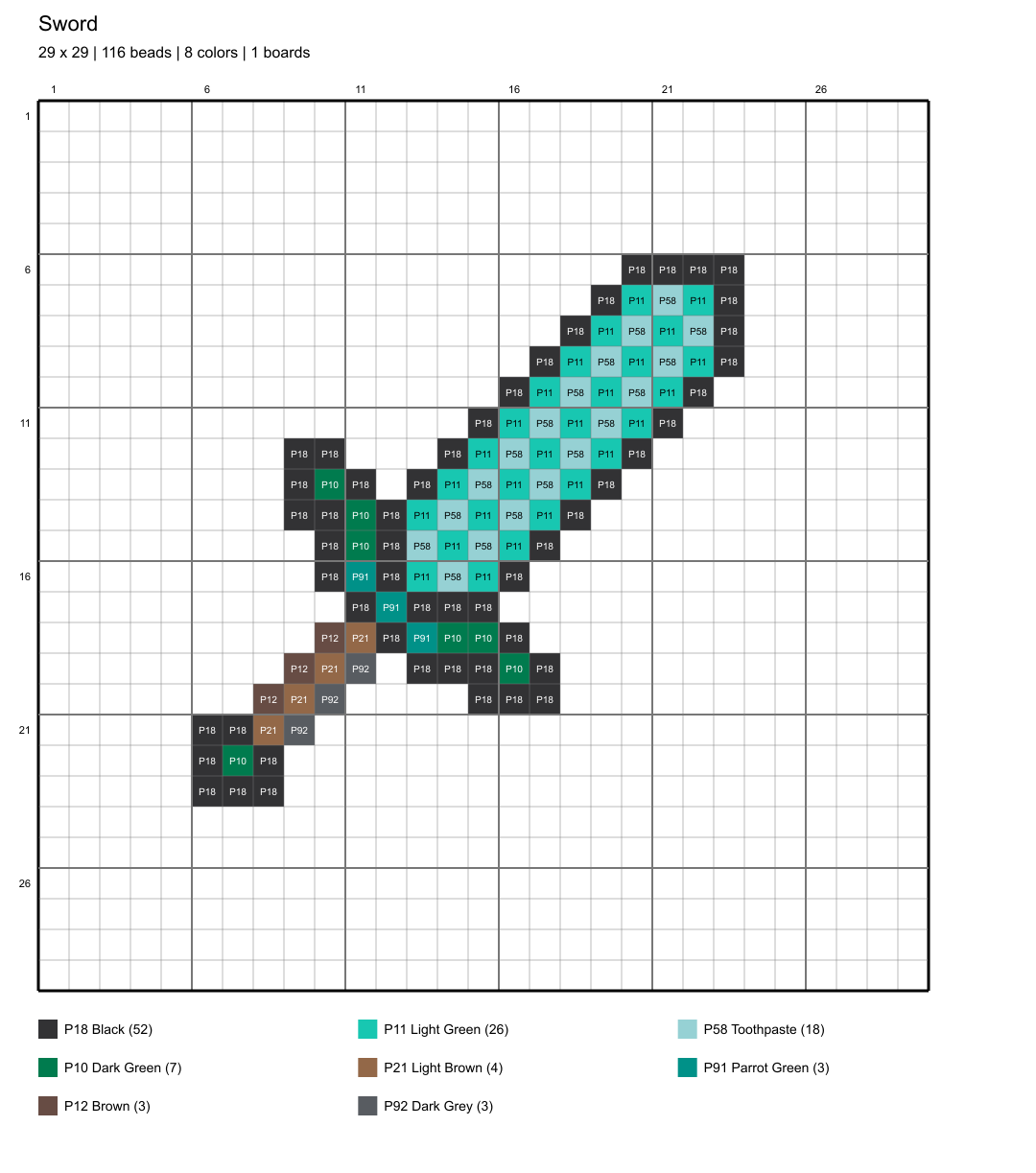
Locate a row
Look at the exact pattern preview before you place the first bead. Find the topmost occupied row and note where it begins within the board. Count empty positions as well as filled ones, because the gaps help keep each row in the right place.
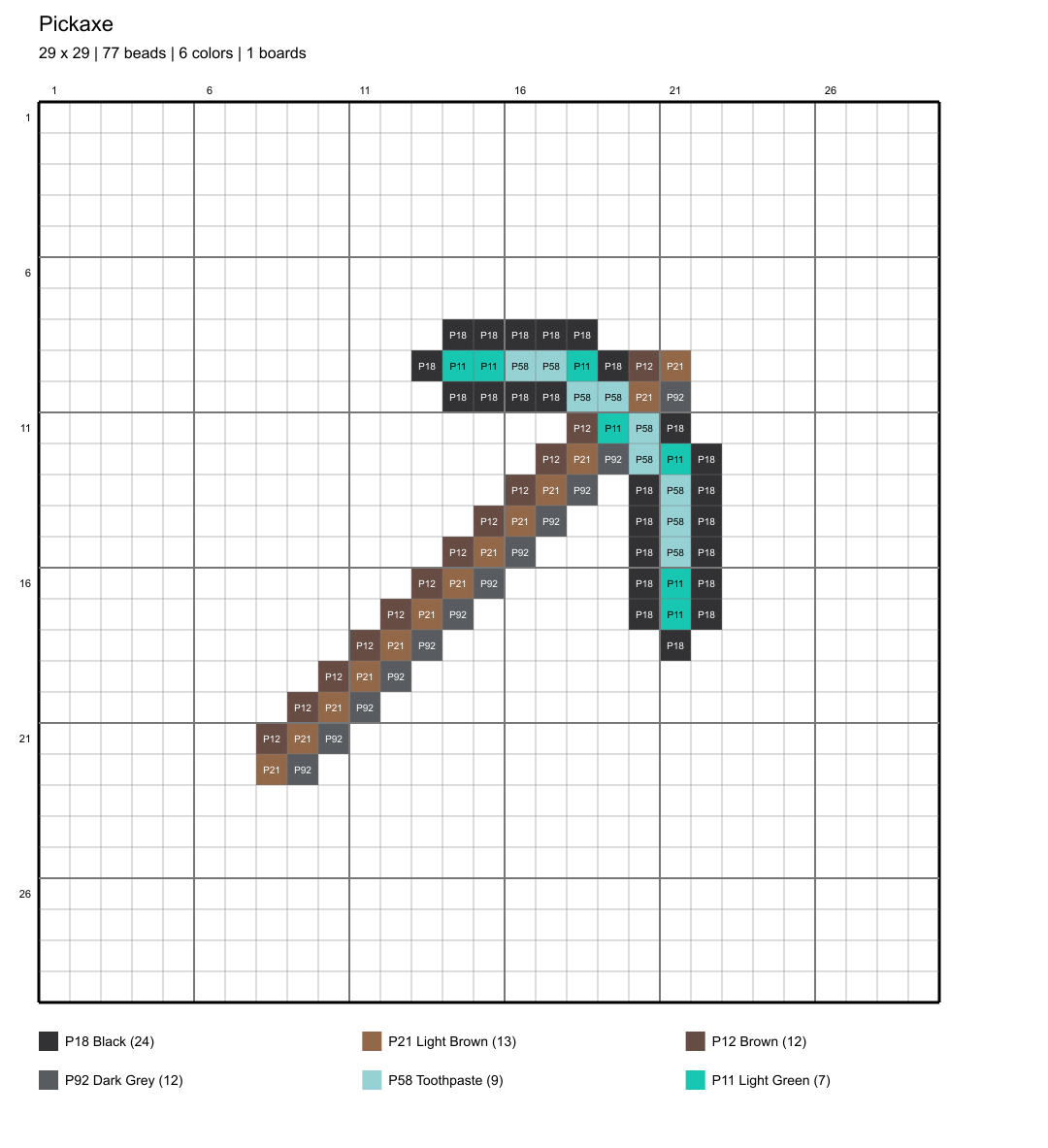
Check each row
Work across one row at a time, checking each color against the chart before moving down. For Minecraft Perler beads, this gives you a clear way to track your place. Keep the downloaded pattern nearby and mark completed rows on a separate working copy.
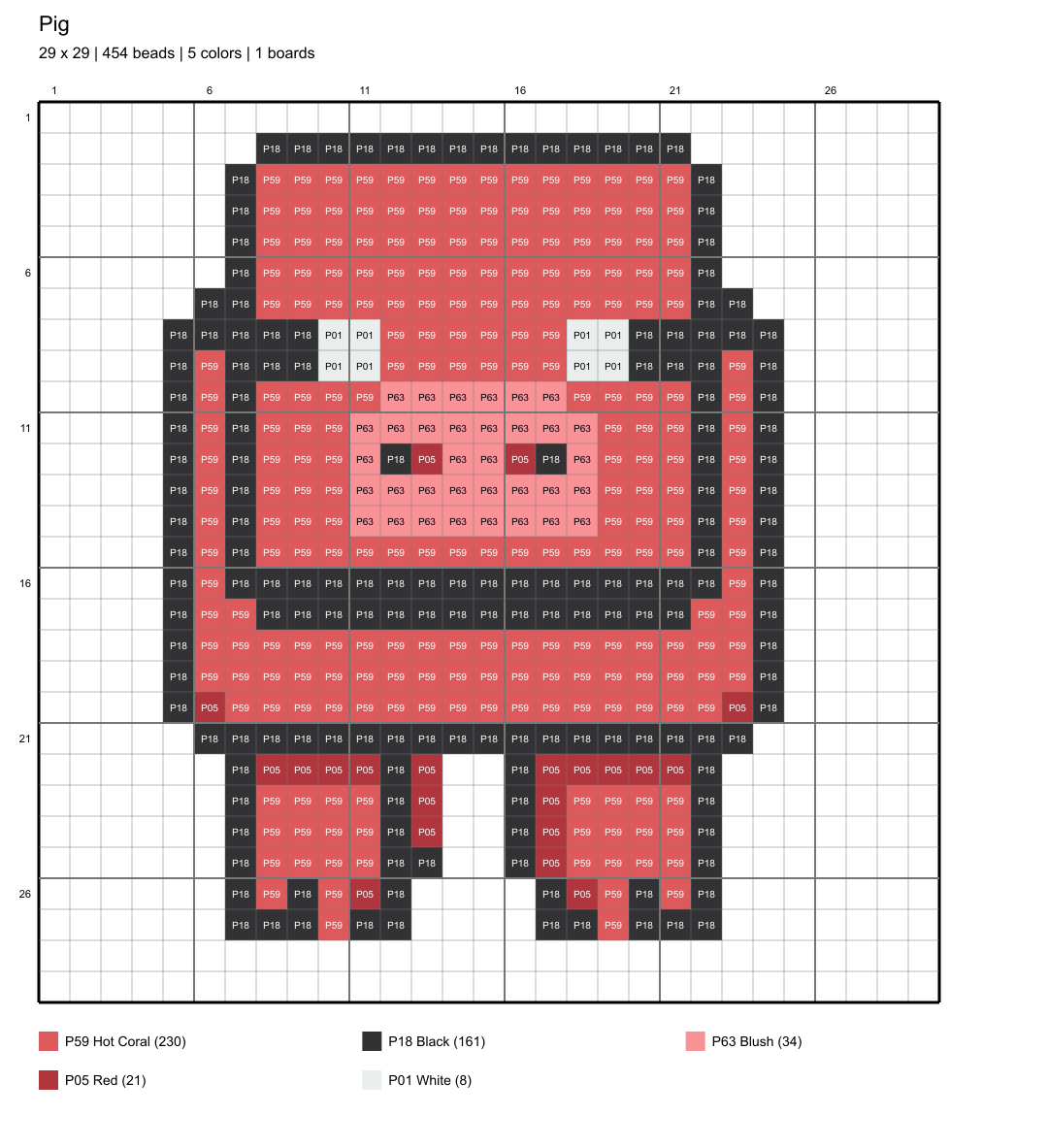
Review the chart
Pause after several rows and compare your board with the pattern. Check where each row starts, where it ends, and where a color changes. Correct misplaced beads before heating. A matching total alone cannot confirm that every bead is sitting in the correct position.
How Can You Change Minecraft Perler Beads Colors?
Open the exact design from its preview image or the Open in Designer button. The pattern opens in the homepage Designer, where you can draw, erase and change bead colors. Start with the chosen design so your changes build on the pattern you compared.
Try a color change before placing your Minecraft Perler beads on the board. Use Undo if you prefer the earlier choice, or Redo to restore a change. Watch the updated totals as you edit, then check that you have enough of each chosen color.
Download the edited pattern as a PNG or PDF when you are ready to follow it. Open the downloaded file and check the pattern before printing. Keep the original and changed copies clearly named, so you do not accidentally gather supplies for the wrong version.
Compare bead preview and placement chart
What Can You Make After Minecraft Perler Beads?
Plan another project
If you start with the pickaxe, compare the sword next because their bead lists share six color names. Check what remains in each container before beginning. The sword uses more beads overall, but some individual colors need fewer beads than they do in the pickaxe.
Browse collections
After making Minecraft Perler beads tools, the pig offers a different supply plan with five colors and 454 beads. Count your Hot Coral and Black beads first, since those are its largest groups. Then set aside the smaller White, Blush and Red groups.
Prepare for fusing
For a different subject, browse the other collections: cat, flower, heart, Pokémon or star. There are eight cat patterns, five flower patterns, six heart patterns, eleven Pokémon patterns and nine star patterns. Compare each chosen pattern's board needs and bead list before gathering supplies.
Frequently asked questions
The pickaxe uses 77 beads, the sword uses 116, and the pig uses 454. These are the totals for the unchanged patterns on this page. All three fit one 29×29 board, but none fills every position. If you edit a pattern, check its updated totals before sorting your supplies.
Yes, you can open and download these patterns without an account. Choose the preview image or Open in Designer button to open the exact design. You can change bead colors, draw or erase beads, and then download a PNG or PDF to follow while placing beads on your board.
No, each of these three patterns uses one 29×29 pegboard. Their pattern spaces are all 29×29, even though their bead totals differ. Four 29×29 boards are needed for a 58×58 pattern space instead. Check the pattern dimensions, rather than the subject name, when deciding which boards to gather.
An adult should fuse the pattern on a flat, heat-safe surface using ironing paper and a medium iron setting without steam. Move the iron in circles without pressing down, lifting the paper occasionally to check fusion. Let the design cool before removing and turning it, then fuse the reverse side and cool completely.
Use 5 mm Perler beads for the sword, pickaxe and pig patterns. All three verified designs specify that bead size and brand. Check the size on your bead packaging before gathering the listed colors.
Use Undo to reverse a change while editing the pattern in Designer. Redo restores a change you undid. The bead totals update as you edit, so check them before gathering supplies.
Yes, the blank printable page offers 29×29 and 58×58 grids. Use the smaller grid to plan within one board, or the larger grid for a pattern space requiring four 29×29 boards.
More patterns and help
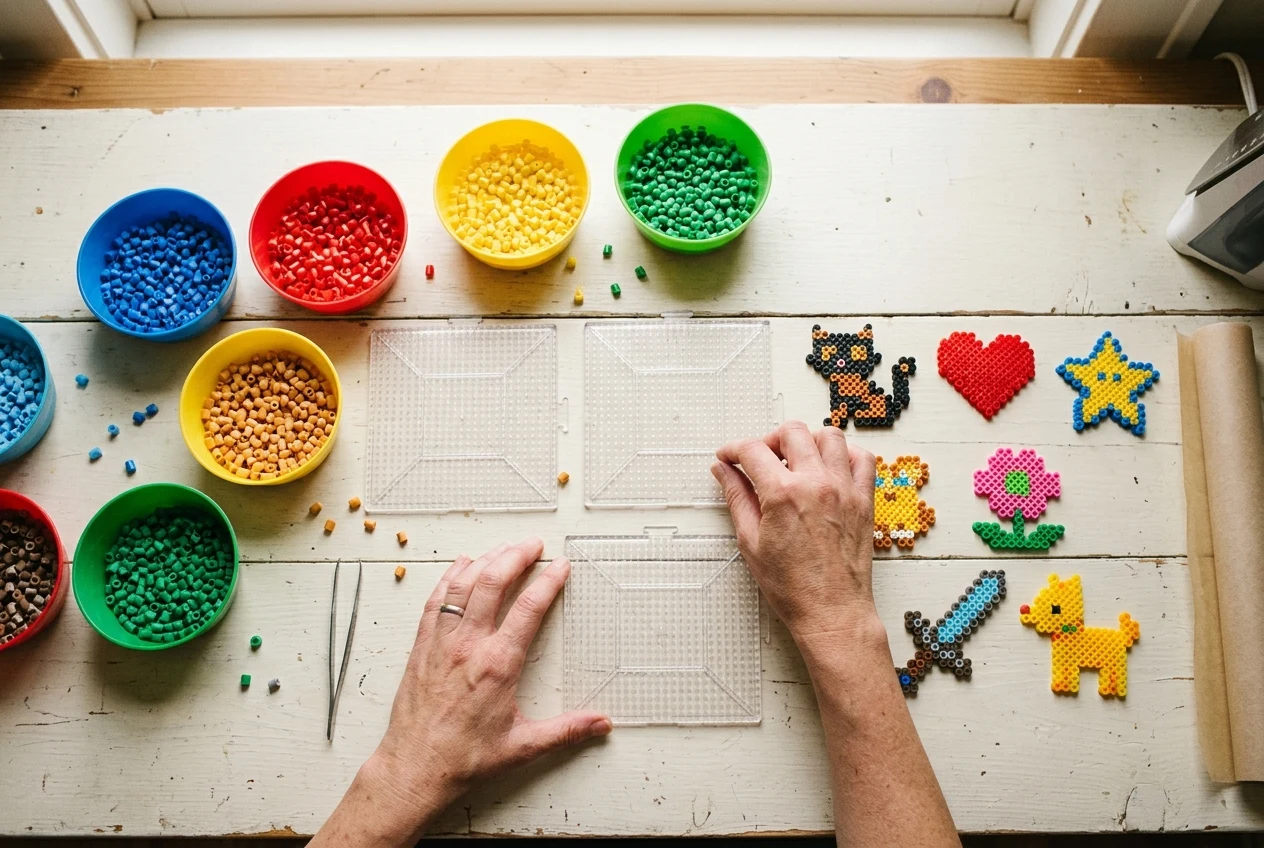
Perler Bead Patterns
Look beyond swords, pickaxes, and pigs for your next design, checking bead totals before gathering colors.
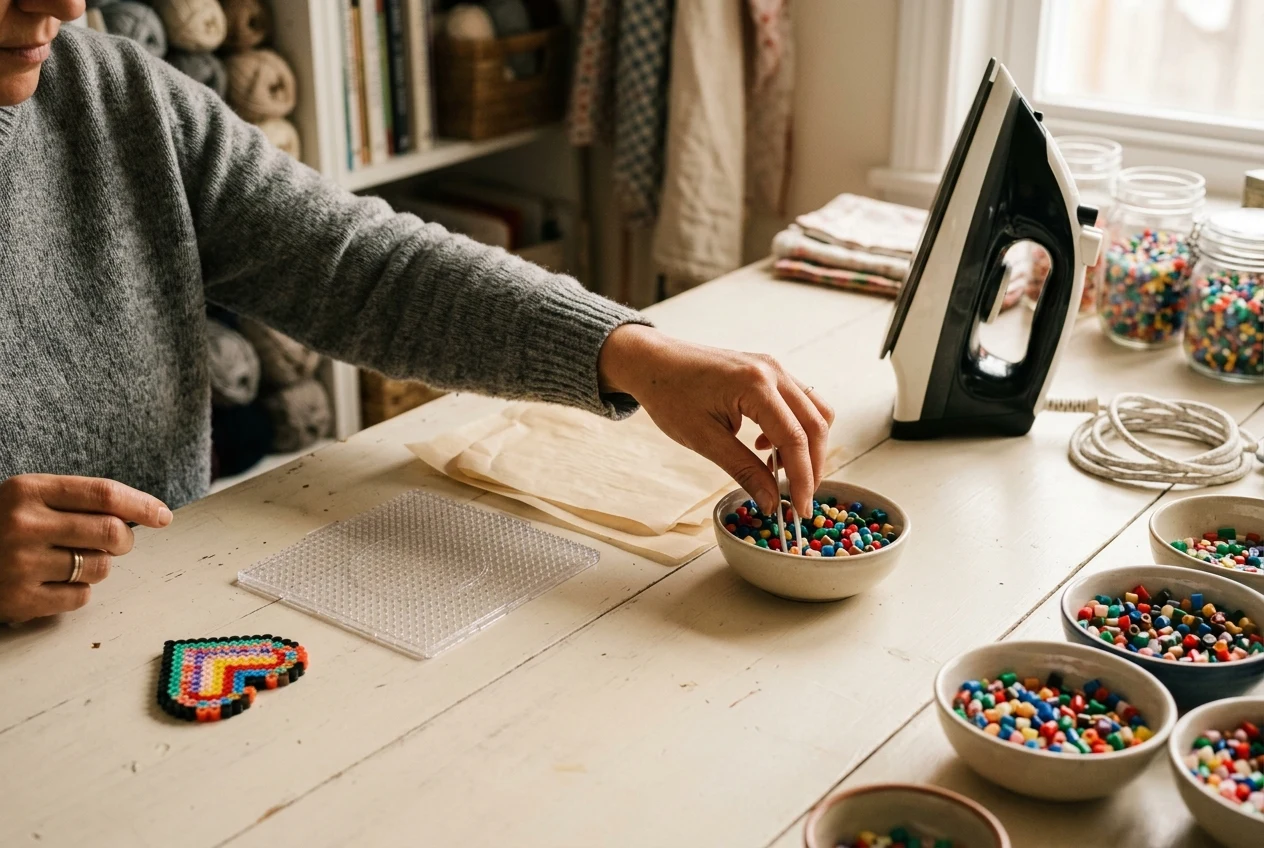
Perler Bead Guides
Have an adult review the ironing guide's setup and medium heat advice before fusing your Minecraft design.
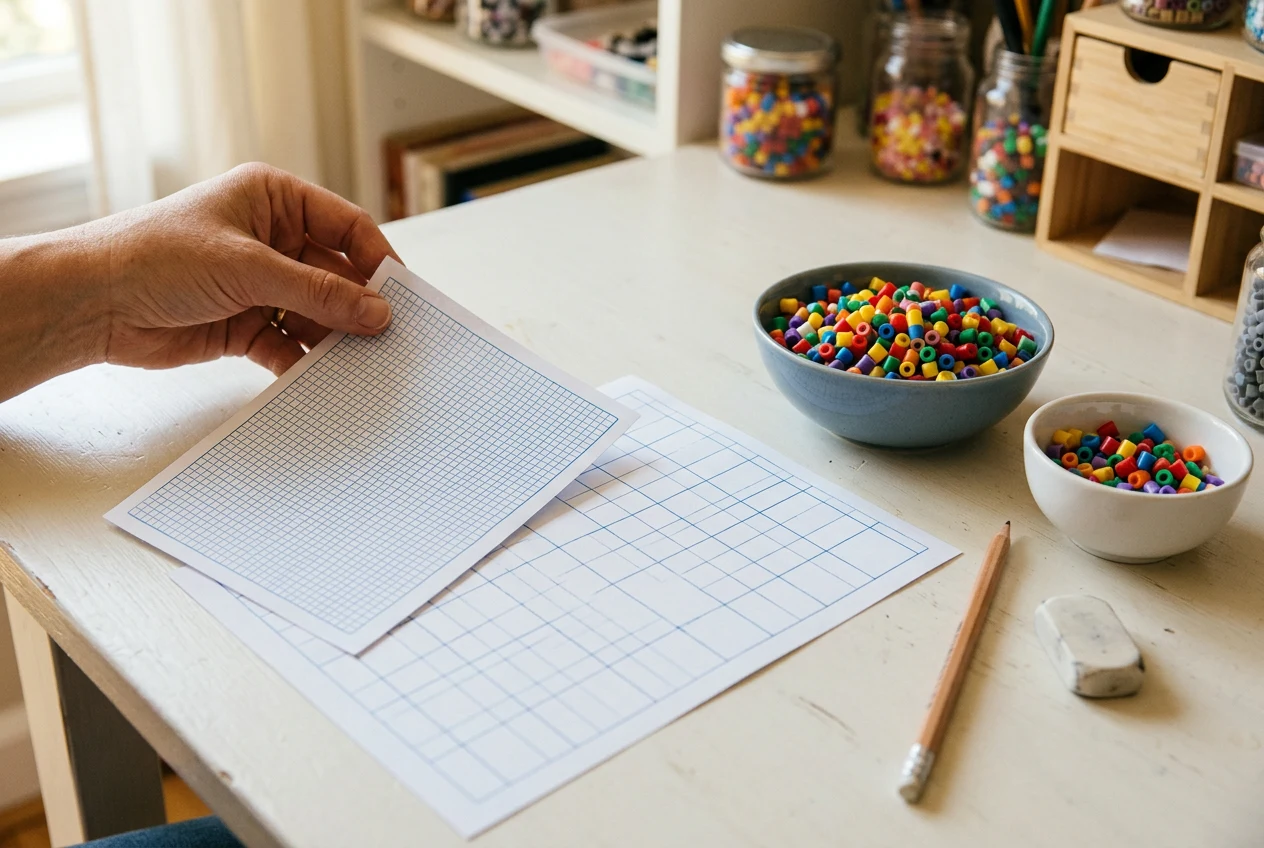
Perler Bead Printables
Use a printable 29×29 grid to sketch a different tool that fits your single pegboard.
Adjust your Minecraft pattern before placing beads.
Open the sword, pickaxe, or pig, change or erase individual beads, and download the revised pattern as a PNG or PDF.